Bringing Swift To The Apple II

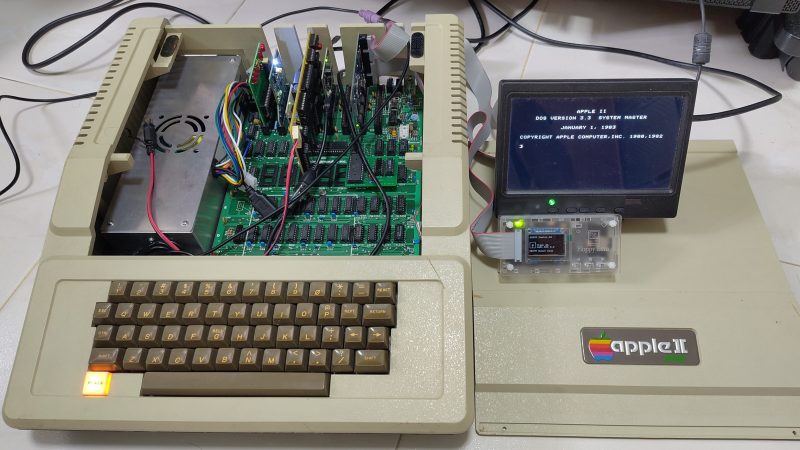
Swift is a relatively modern program language, appearing in 2014 as a replacement for Objective-C. Since then, it’s become a popular solution for programming apps across Apple platforms. That led [Yeo Kheng Meng] to a simple yet fun idea—porting Swift to the oldest Apple platform of all.

Yes, [Yeo] managed to build a development environment for Swift that targets the Apple II platform. Not just one machine, either—everything from the original Apple II up to the IIe and a little beyond. Now, the Apple II is very different from modern Macs and iPhones and the like, having debuted in 1977 with a 1 MHz 6502 CPU and a minuscule 4 KB of RAM. But that doesn’t mean you can’t use a modern language to develop for it!

[Yeo] does a great job of explaining how it all works, and how Claude Code and GPT 5.5 Codex were used to help piece things together. The compiler is set up to spit out bytecode that’s executed by a virtual machine running on the 6502. The target was to allow the setup to work on a standard 1977 Apple II from the factory, which would allow it to then run on subsequent models without issue. However, there is a small note— [Yeo]’s implementation requires the RAM to have been upgraded to 48 KB.

We love seeing modern stuff ported to the Apple II. This Portal port was a particular highlight.
Continue reading “Bringing Swift To The Apple II”

A Quantum Magic 8-Ball

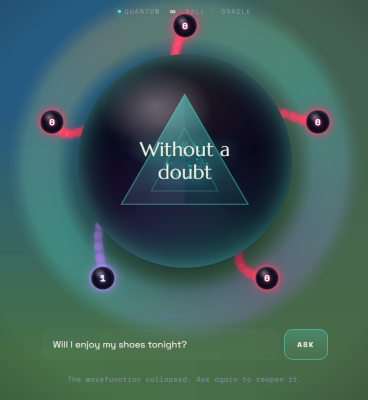
If you ever cracked open one of those Magic 8-Ball toys, you found little more than a polyhedron floating in some dark-colored fluid. It was a quasi-random way of asking the universe to answer crucial questions like “will Mom and Dad get a divorce?” and “does Bethany like me?” even if the results were seldom accurate (sorry about your parents, kid). If you want a more reliably random 8-ball that is not even slightly more truthful, you might like this recent build from [David Noel Ng].

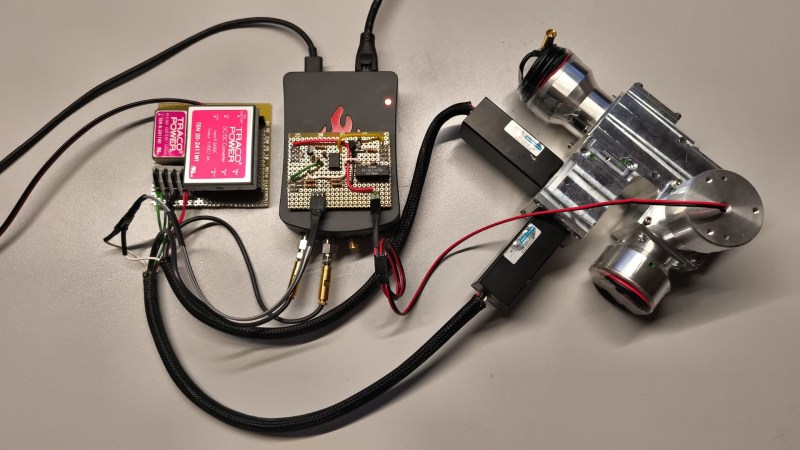
The concept is simple enough — leverage quantum effects that provide truly random results to seed run a random number generator that determines the outcome of a software magic 8-ball. [David] tried a few ways to build something along these lines, and eventually settled on a setup that he felt suited the task at hand.

In the final rig, a light source spits out photons, and is attenuated to the point where effectively only one photon is running through the light path at a time. Each photon passes through a beam splitter, and either passes through the mirror and hits photomultiplier A, or bounces off and hits photomultiplier B. This creates a truly random yes/no result for every photon that passes through. [David] does a great job of explaining the low-level physics at play, as well as the supporting electronics and code that turns this into a usable magic 8-ball that actually answers questions.

We’ve seen other magic 8-ball builds before, too. Few come with quite the same tactile wonder created by the original toy, but they nonetheless do the job of answering questions that are too frivolous to take to a tarot reader or local divining bog witch. If you’re whipping up your own way to deduce the wills of the fates, don’t hesitate to let us know on the tipsline.

A Custom Zigbee Touch Keypad

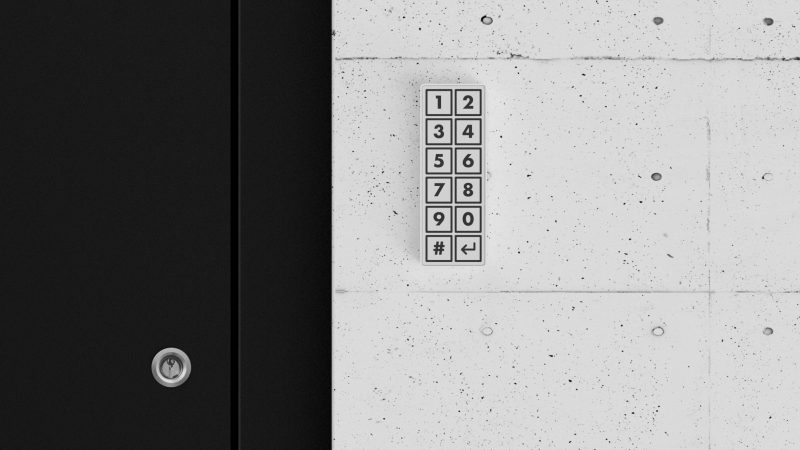
[Dominic Buchstaller] wanted a neat, tidy entryway keypad that actually looked good. Prime goals were something slim, wireless, and with no visible screws. Dependency on the cloud was also a no-go. With few ready-to-go options available on the market, he set about whipping up his own.

The heart of the build is an ESP32-C6 microcontroller devboard. This device has the benefit of including Zigbee communication functionality baked right into the chip. It’s hooked up to an MPR121 capacitive touch controller, which allows different segments of the touchpad PCB to act as capacitive buttons for numerical entry. The number labels are directly printed on the PCB solder mask, so there’s no overlay or other label required on top. Power is courtesy of a 1300 mAh lithium-polymer cell which gives a useful lifespan of six months between recharges. A simple 3D-printed case holds everything together and completes the clean and simple look. [Dominic] notes that it’s possible to also use the device via Matter or Thread without a lot of changes, as the ESP32-C6 can easily handle those protocols, too.

If you’re looking for a cheap, handsome keypad for your Home Assistant setup or similar, you might find this useful. We’ve explored DIY keypad entry systems before, too. If you’ve come up with some other creative way to get into your house, car, or bank vault, be sure to notify us via the tipsline.

A GUI Solution For ESP32 Web Development

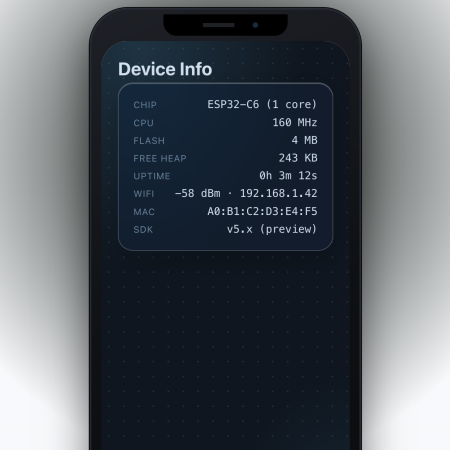
These days, a lot of embedded projects feature some sort of screen, and a screen often creates a desire for a nice user interface. [Geoffrey Wells] has created a tool for developing web interfaces for the ESP32, named ESP-GenUI.

The aim was to make UI development as easy as possible for this platform. ESP-GenUI allows the creation of a website by dragging various nodes on to a canvas and linking them up to create the desired web interface. There are nodes for GPIO control, camera feeds, gauges, and all sorts of other common elements for quickly putting together dashboards and control panels. All this is done from within the browser, and the code generated by the tool can even be flashed without having to open any external tools. Alternatively, it can spit out Arduino code that you can open and flash from within the IDE. You can try the tool out yourself right here.

We’ve featured some other great resources for developing embedded user interfaces, like this highly-flexible display library for the ESP32. Feel free to espouse on your own favorite tools and techniques in the comments.

Continue reading “A GUI Solution For ESP32 Web Development”

Cheap 80s Keyboard Gets Modern Brain Upgrade

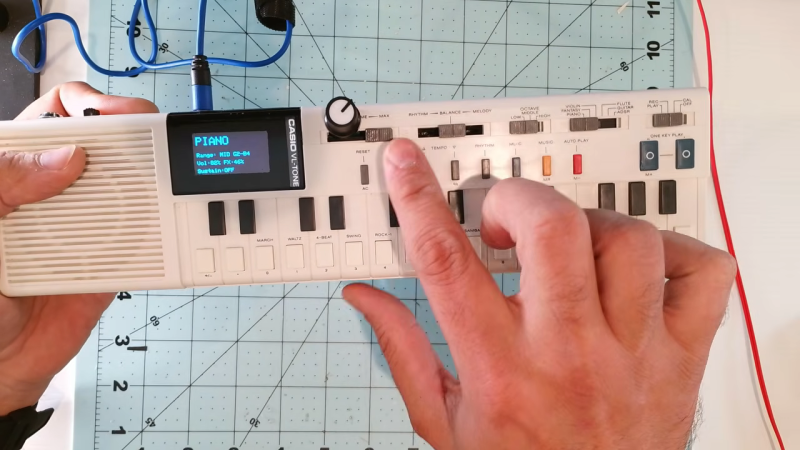
The 1981 Casio VL-1 was a fine cheap keyboard. It had a robust build, though an admittedly limited sound palette. [Max Vega] had one of these charming instruments, and decided to use modern tech to rebrain it for the modern world.

The original electronics of the VL-1 were largely surplus to requirements for this build. The original interface and speaker were kept in service, while the rest of the monophonic sound synthesis hardware was removed. [Max Vega] enlisted an ESP32-C3 to run the show, turning the VL-1 into a ROMpler instead. If you’re unfamiliar with the term, it refers to a keyboard or other instrument that relies on hardcoded sample playback instead of raw synthesis. The ESP32 loads its samples from a microSD card, which provides an enormous amount of storage for different sound packs. Selecting different instruments is handled with a simple interface built around the original buttons and a OLED screen.  Playing the instrument is still the same using the simple keyboard, though [Max] also implemented some extra fun modes that play chords at a single touch.

If you want a fun, versatile keyboard instrument that fits perfectly in a backpack, it’s hard to go wrong with a build like this. We’ve seen similar Casio keyboard hacks before, too. Video after the break.

Continue reading “Cheap 80s Keyboard Gets Modern Brain Upgrade”

CSS On The ESP32

There are lots of graphics libraries available for the ESP32, and lots of ways to program one to boot. Even still, most of us wouldn’t immediately think to CSS when it comes to embedded products — yet that’s now a thing on the Espressif platform, apparently.

The Gea stack allows one to compose CSS and TypeScript code that is then turned into generated C++ code that compiles to native firmware. The team behind Gea have demoed this ability by running a 3D cube animation on an ESP32 at up to 60 FPS. This isn’t some ugly, low-res wireframe demo, either. It’s a full-color animation running on a 410×502 AMOLED screen. It’s very fluid, and can even handle transparency on the cube faces (albeit with a performance penalty).

It’s worth noting that this isn’t a full browser engine. As you might expect, some concessions had to be made to get it running on the ESP32. Namely, it doesn’t handle “:hover” states because it’s designed for touchscreen use, fonts are rasterized, and the UI tree is limited to just 512 nodes. Regardless, it shows that using CSS and TypeScript to develop for the ESP32 is entirely possible without some crazy loss of performance. If you want to build easy interfaces on an ESP32 while leaning on web dev experience, this could be very useful indeed.

There are lots of fun ways to write code for the ESP32; you can even try MicroPython if you like.

Continue reading “CSS On The ESP32”

Flying Cell Towers Are A Thing

Typically, when you’re sitting on a plane on the tarmac, you switch your phone to flight mode while you’re sitting through yet another “quirky” (boring) safety video. You’ll watch some inflight entertainment, read the airline magazine if you get really desperate, and wonder if anyone ever buys those random watches for sale in the “duty free” section. Then, finally, upon landing, you’ll be connected back to the Internet and you’ll finally feel like you can breathe again.

Only, this time, you forgot to set your plane on flight mode. You’re sitting at 30,000 feet, and… your phone has signal? You’re online, and you’re getting notifications and emails just like you’re on the ground. You’ve accidentally discovered that your flight has an on-board cell tower.

Continue reading “Flying Cell Towers Are A Thing”