Cramming A Mini-ITX Gaming PC Into A 3D Printed Steam Machine Sized Case

The recently released Valve Steam Machine is somewhat awkward in that it uses a custom, non-standard PCB and non-standard power supply. This fact apparently has irked some people who decided that it makes perfect sense to try and cram a Mini-ITX board, Small Form Factor (SFF) PSU and full-sized discrete GPU into an enclosure of the same size. Cue the SFF Mini-ITX Steam Machine Case project by [3DCatt] over at Printables.

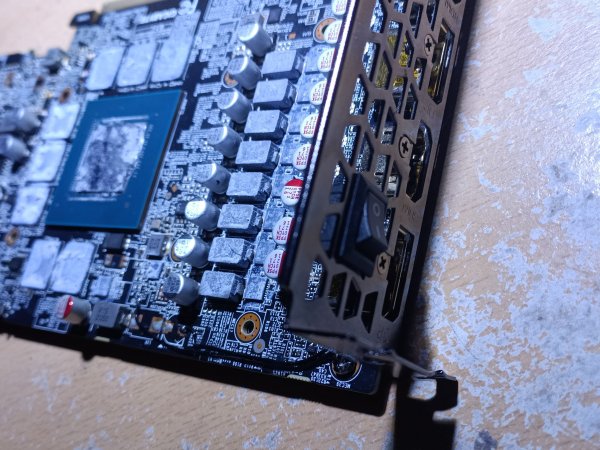
This is apparently a project done in cooperation with AMD’s [Jacob Terkelsen], who showed off the 3D printed case stuffed full with the aforementioned parts, which includes a GeForce RTX 5060 GPU. Of note is that the Valve Steam Machine uses a different cooling configuration as it has both the CPU and GPU on the same PCB. These share the same massive heatsink, as can be seen in e.g. the [Gamers Nexus] teardown video.

For this angular imitation machine it would have been nice to use a blower-style GPU, to exhaust the hot air rather than dump it all into the case. This is also an issue that was raised by [Jacob], with more ventilation added to mitigate the issue. What the overall performance will be compared to regular compact Mini-ITX cases remains to be seen, but if you really want to live the Steam Machine life and have some parts kicking around along with a 3D printer, it might be worth a shot.
This Kid-Friendly Laptop Build Is The Antidote To Age Verification

Age-verification has been a topic of hot debate recently, with many in the community feeling that keeping kids safe online is better handled by the parents. But what does that look like these days? [EposVox] has been working on a child-safe laptop to try and solve the problem, but depending on how you look at it, it also shows why non-technical people may feel they need the government involved.

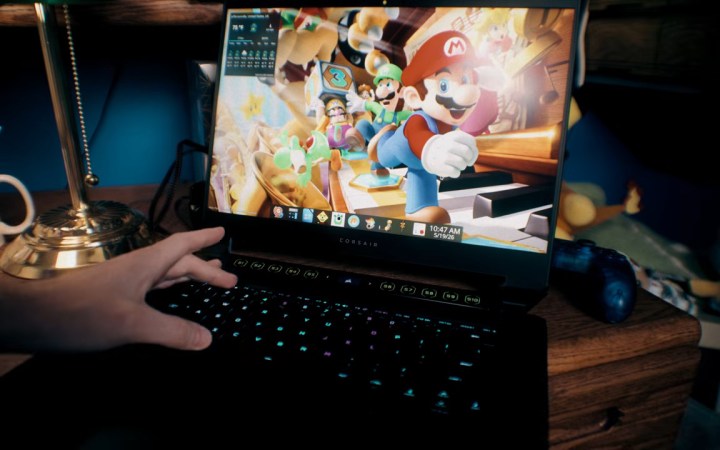
His setup may seem simple to many readers — a carefully curated selection of edutainment apps running under Kubuntu on an old laptop. We particularly like his choice not to give access to the applications menu, but give himself a hotkey for the terminal if he needs to access something outside of the curated selection of software. Most things are local, though some browser games and cloud tools are made available via Vivaldi’s app mode. In this case there is no actual browser access for junior just yet, as the child in question is seven years old.

All in all, it sounds like less than an hour to set up. Assuming you’ve got experience with desktop Linux, anyway. Consider, though that it took [EposVox] an entire day just to get Kubuntu installed, and you begin to see why the average person might look kindly on a politician offering to solve these problems for them. For those that need it, [EposVox] points out some Windows-based alternatives for childproofing your PC, including the absolute minimum of DNS filtering. But the same problem applies: how many people outside our bubble know how to set that up?

While there’s an argument to be made that the sort of age-verification laws being passed are examples of government overreach, these laws aren’t facing a lot of push-back because most people aren’t technically literate enough to realize the problems with them. They like the idea of their kids being protected, and they don’t know how to set up an old PC the way [EposVox] does here.

It’s a real shame, especially considering that none of this is new. We featured a kid-friendly, Windows-based computer setup years ago. But it is what it is. Hopefully these sorts of hacks don’t end with the roll-out of age verification, because it’s a much better way to do it.

Continue reading “This Kid-Friendly Laptop Build Is The Antidote To Age Verification”

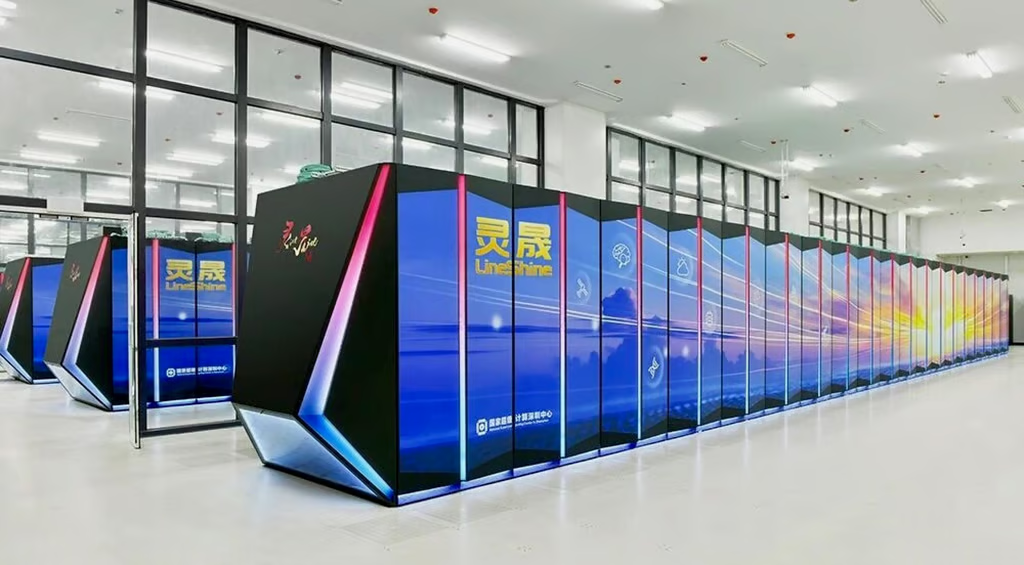
LineShine Is Fastest Supercomputer At Over 2 Exaflops

There is a phenomenon where as you get older, your sense of scale becomes somewhat fixed in the earlier era that shaped you– things like expecting the Dollar Store to carry items for 1$, or to get a burger and fries for less than twenty bucks– or, in this case, thinking of supercomputers as being petaflop-scale machines. That’s not wrong, per se– most of the world’s fastest machines benchmarks are best measured in petaflops– but when you’re clocking at 2198 of the things, it becomes easier just to say that the LineShine computer can do 2.188 exaflops. At double precision. With CPUs only. Yes, we are impressed.

Even more impressive is that this machine just debuted in China, which means it was built without the benefit of the latest-and-greatest Western chips, thanks to US sanctions. It’s using a made-in-China LX2 CPU with 304 ARMv9 cores onboard. Well, it’s actually using around 46 thousand of them, but who’s counting?

Each CPU actually consists of two separate compute dies and onboard high bandwith memory (HBM) and DRAM– 4GB of HBM and 32GB of DDR5. The 152 ARMv9 CPU cores on each chip are all built with Scalable Vector Extensions (SVE) and Scalable Matrix Extensions (SME), so despite the lack of GPUs LineShine will have no problem doing the sorts of vector processing that is traditional for high-performance computing, given the 13.79 million cores.

On the other hand, the lack of GPUs shows when you change benchmarks– LineShine is number one in the rankings for High Performance Linpack (HPL), but getting outside the 64-bit box, the supercomputer only hits number four on the HPL-MxP mixed-precision benchmark, behind machines that pair their CPUs with accelerators like GPUs or NPUs. That may mollify the American ego, as while their El Capitain was bumped to second place on the HPL list, they can still claim the pole position on HPL-MxP. Which computer is actually more capable depends entirely on what you want to do with it, and neither Lawrence Livermore National Laboratory nor China’s National Supercomputing Centre in Shenzhen advertise their compute queues, though this paper suggests at least one job will be crunching earth observation data.

The definition of a supercomputer has shifted over time, and it’s only a matter of time before LineShine and El Capitain end up on the auction block, like other supercomputers before them. We might question it when it comes to desktops, but for institutional HPC, no amount of computing ever seems to be enough.

Double The VRAM Of An RTX 3070

Modern games are quite often limited by the amount of volatile memory available to the GPU. Games can require many gigabytes of data during the rasterization process. So the obvious solution for better performance would be to buy a faster GPU, right? Well, not for [AssassinWarlord], who decided to find just what happens when you double the VRAM on an RTX 3070. The forum post is in German, but a translator gets the job done rather nicely.

For those of you following along at home, you will need a set of eight Samsung K4ZAF325BM-HC16 GDDR6 memory modules. In this case, the memory modules were salvaged from an AMD RX6900XT with a defective core. Naturally, you will need to re-ball the chips. To help the process, [AssassinWarlord] bought a stencil from AliExpress, with a 3D-printed holder for the memory modules.

Continue reading “Double The VRAM Of An RTX 3070”

Re-Enable All Compute Units On The PS5-like BC-250 Cryptomining Card

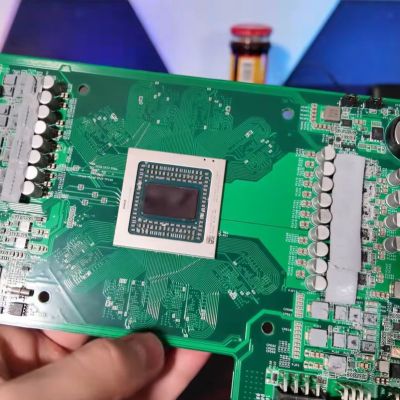
The custom APU at the core of Sony’s PlayStation 5 hasn’t just been quietly powering these game consoles, but also made their way onto cryptomining cards around 2023 which are called the BC-250. The APUs on these boards differ from the one found in the PS5 most notably by having two out of eight CPU cores disabled, along with many compute units (CUs) of the iGPU. Now apparently it seems that you can re-enable these CUs per instructions by [duggasco] if you’re feeling adventurous.

The BC-250's AMD APU in all its glory. (Credit: Lowest Logan, YouTube)
The BC-250’s AMD APU in all its glory. (Credit: Lowest Logan, YouTube)

As stated in the project’s README, BC-250 boards come with only 24 out of 40 CUs enabled, but this is not a permanent (e-fuse) thing. Instead you can write to two hardware registers during the GPU driver initialization, something which can be added to for example the Linux kernel module parameters.

Since many of these APUs likely had cores and CUs disabled due to them failing QA during PS5 APU manufacturing, there’s a good chance that some of the CUs truly are bad. Yet as we saw with the AMD Phenom II X3 with a supposedly bad fourth core back in the day, sometimes demand for the ‘defective’ part is high enough that good parts get mixed in as well.

Thus people like [Lowest Logan] decided to give it a shot, demonstrating the use of the patch with Bazzite Linux on a BC-250 system. After a reboot the system does indeed list 40 CUs as being enabled, and running Furmark shows a big boost in performance without any glitches or fire. There is of course thermal throttling, but that is due to the default cooling solution not being designed for running it at full blast.

Incidentally the real PS5 has only 36 active CUs, so this technically makes these unlocked APUs more powerful. With the water cooling solution demonstrated by [Lowest Logan] the thermal throttling is also resolved, showing that you can get a pretty nice gaming system out of these old cryptomining boards if you happen to win the silicon lottery.

Continue reading “Re-Enable All Compute Units On The PS5-like BC-250 Cryptomining Card”

Jenny’s Daily Drivers: Microsoft Windows 11

In our search for the unusual or interesting among the world of operating systems, it might seem unexpected that today’s choice for a Daily Driver is the latest version of Microsoft Windows. Aside from Hackaday perhaps having a larger than average percentage of viewers using Linux based operating systems and generally catering to open source enthusiasts, there’s hardly anything special about Windows, is there?

Oddly for me there is — because while it’s a common enough OS for the masses, the last time I had a Windows computer it ran XP. That venerable OS is a world away from today’s Windows 11, and thus as someone who’s exclusively sat in front of a GNOME desktop for much of the last two decades, it’s an entirely new operating system.

There’s no doubt that it will make a Daily Driver, because of course I’ll be able to do my work on it. Where the interest lies is in seeing what Windows has become. Is it still a useful general purpose operating system, or has it become the locked-down walled garden of crapware that its detractors warn you about? Time to dive in.

Continue reading “Jenny’s Daily Drivers: Microsoft Windows 11”

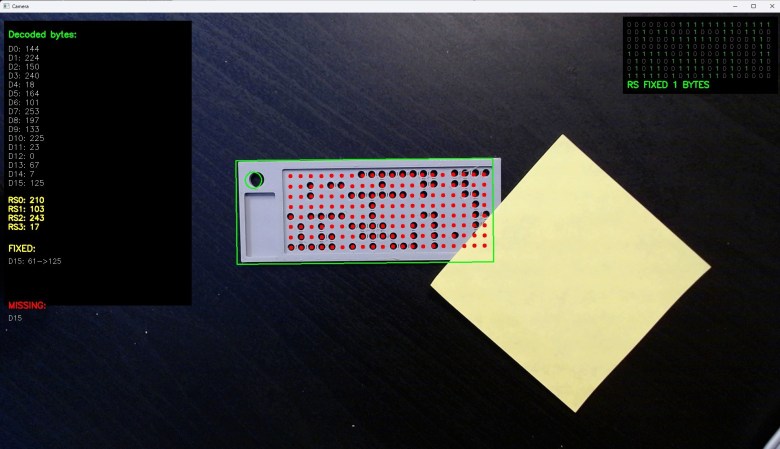
What a punch card looks like to openCV

21st Century Punch Cards Are 3D Printed And Read By OpenCV

While a punch card is perhaps the lowest-density storage medium available, it has some distinct advantages. As [Bitroller] points out in the write-up of his punch card project, if he was using stainless steel instead of PLA his 3D printed punch cards would likely outlast everything he owns, and survive a five-alarm fire to boot. If you have 16 bytes you really, really don’t want to forget — or are willing to store your private key in a shoe box — this project might be of interest.

The nice part is that he’s built a handy Python script to generate printable files for the punch cards, which encode 16 bytes of information and 4 bytes of error correction using the Reed-Solomon algorithm. That’s just enough for a password and the error correction means up to two bytes can be recovered in the case of read failure.

The reading is where this gets interesting — again, [Bitroller] provides a handy script, but this one uses OpenCV to read the entire punch card at once from a webcam image, using the contrast between a black table and the light-colored PLA cards. It’s massively overkill and would have needed a supercomputer in the days when punch cards were common I/O, but that’s what makes this a great hack.

We only have one quibble: if you use additive manufacturing, can you still call it a punch card? Nothing was punched out, after all.

If you think punch cards are totally irrelevant in the modern day, well, you might be right– but that doesn’t stop us from playing with them. If punch cards make you think of Big Iron in the early days of computing, maybe think further back– they were used for everything from Jacquard looms to the original MIDI.