Graphics Upgrade For Nintendo Entertainment System

Modern video game consoles rarely have expansion ports, but in the 80s and 90s it was practically guaranteed. With the speed that hardware was advancing it made sense to build in some way to upgrade a system’s capabilities throughout its lifespan. But while this gave us things like the Sega CD and N64 Expansion Pak, many ports ultimately went unused. Given this recent project from [decrazyo], one wonders if unused port on the bottom of the Nintendo Entertainment System could have been used to expand its graphical capabilities.

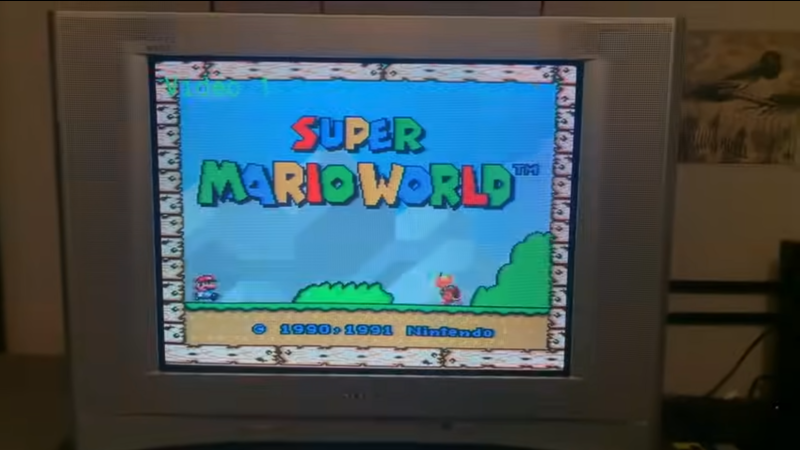
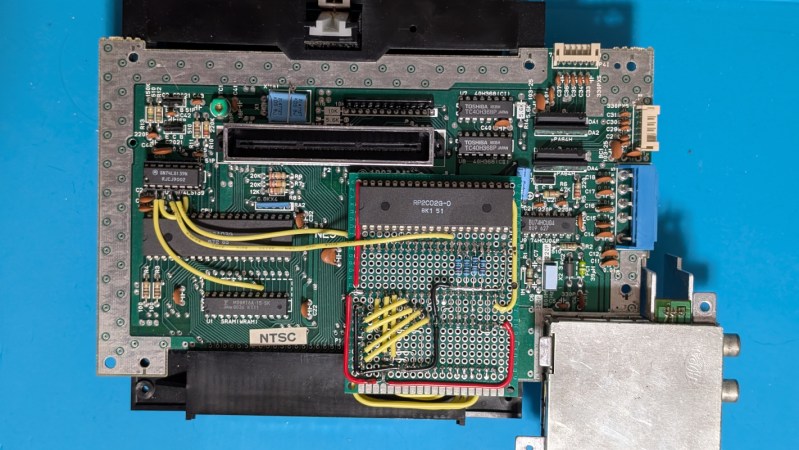
The basis of this upgrade is the fact that the Picture Processing Unit (PPU) on the NES has four pins that are grounded. These four pins tell the NES to display the background color if the pixel is transparent. Since they’re normally grounded, this means the NES can only display a limited background image, but there’s no reason these pins must be grounded. By using a second PPU configured to output graphics information and wiring it to these four pins on the first PPU, the NES can be given all kinds of new abilities, such as adding parallax effects to backgrounds, rendering more sprites, and showing more colors in the backgrounds.

Of course, the hardware requirements for this will require a donor NES to get the second PPU as well as the necessary memory chip for it, and we don’t recommend tearing apart perfectly good retro consoles for experimentation if it can be avoided. Presumably, you could use this open-source NES hardware alternative instead. But for those with the parts and the gumption, creating a demo or adding graphics features to homebrew games using this second graphics chip is within reach.

Continue reading “Graphics Upgrade For Nintendo Entertainment System”
Reverse Engineering A Rock Bottom NES Clone

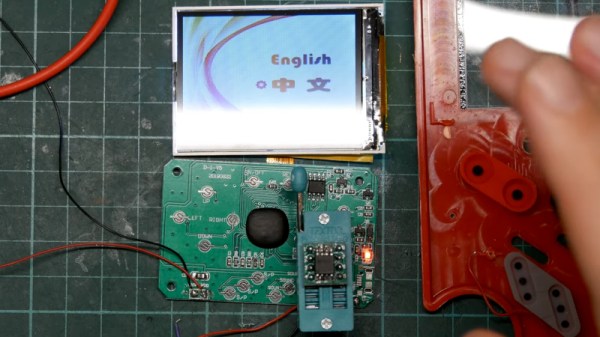
The NES was Nintendo’s smash hit console of the 1980s, the international version of their Japanese Famicom system. It wasn’t a particularly complex device, so it was the subject of many clones back in the day. More recently, it has enjoyed a new life thanks to “NES on a chip” systems. It’s one of these that [Poking Technology] has, real rock bottom for the console built into a cheap phone case.

Continue reading “Reverse Engineering A Rock Bottom NES Clone”

Game Boy? NES? Why Not Both!

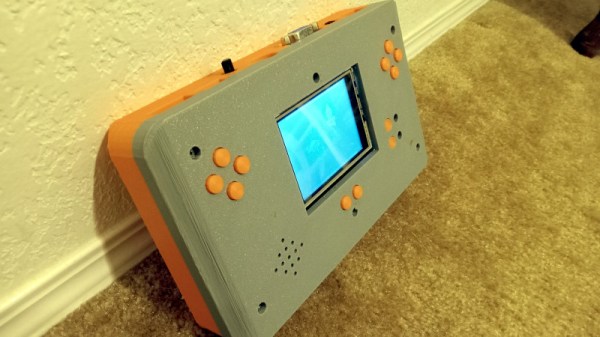
If you’re a retro Nintendo fan you can of course carry a NES and a Game Boy around with you, but the former isn’t very portable. Never fear though, because here’s [Chad Burrow], who’s created a neat handheld console that emulates both.

It’s called the Acolyte Handheld, and it sports the slightly unusual choice for these parts of a PIC32 as its main processor. Unexpectedly it can use Sega Genesis controllers, but it has the usual buttons on board for portable use. It can drive either its own LCD or an external VGA monitor, and in a particularly nice touch, it switches between the two seamlessly. The NES emulator is his own work, while Game Boy support comes courtesy of Peanut-GB.

We like the design of the case, and particularly that of the buttons. Could it have been made smaller by forgoing some of the through-hole parts in favour of SMD ones? Quite likely, but though it’s chunky it’s certainly not outsized.

Portable Nintendo-inspired hardware is popular around here, as you can see with this previous handheld NES

Bringing Achievements To The Nintendo Entertainment System

Microsoft made gaming history when it developed Achievements and released them with the launch of the Xbox 360. They have since become a key component of gaming culture, which similar systems rolling out to the rest of the consoles and even many PC games. [odelot] has the honor of being the one to bring this functionality to an odd home—the original Nintendo Entertainment System!

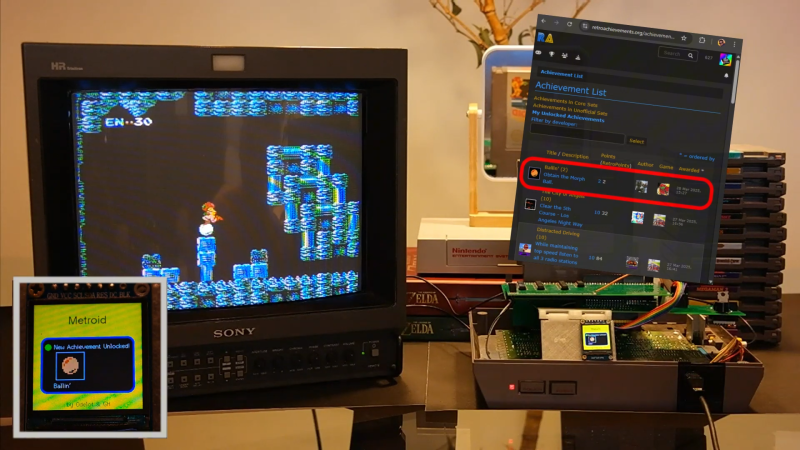
It’s actually quite functional, and it’s not as far-fetched as it sounds. What [odelot] created is the NES RetroAchievements (RA) Adapter. It contains a Raspberry Pi Pico which sits in between a cartridge and the console and communicates with the NES itself. The cartridge also contains an LCD screen, a buzzer, and an ESP32 which communicates with the Internet.

When a cartridge is loaded, the RA Adapter identifies the game and queries the RetroAchievements platform for relevant achievements for the title. It then monitors the console’s memory to determine if any of those achievements—such as score, progression, etc.—are met. If and when that happens, the TFT screen on the adapter displays the achievement, and a notification is sent to the RetroAchievements platform to record the event for posterity.

It reminds us of other great feats, like the MJPEG entry into the heart of the Sega Saturn.

Continue reading “Bringing Achievements To The Nintendo Entertainment System”

Family Bass Is Musical NES Magic

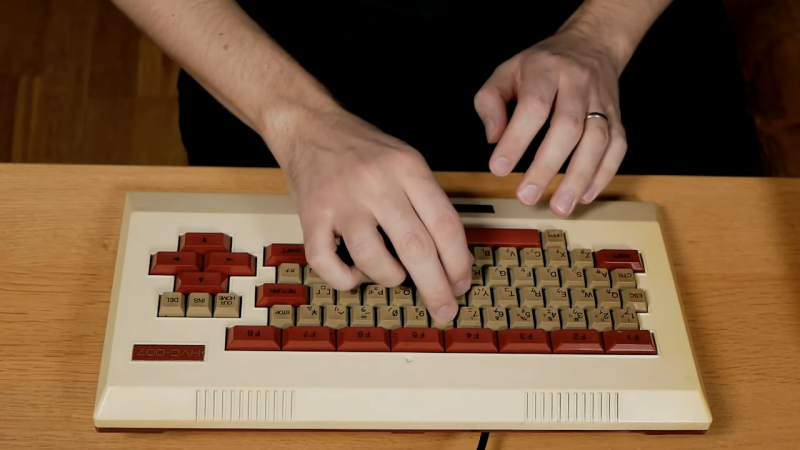
The Family BASIC keyboard was a peripheral that was built for programming on the Nintendo Family Computer, or Famicom.  As [Linus Åkesson] demonstrates, though, it can do so much more. Meet the Family Bass.

The core of the project is a special adapter which [Linus] created to work with the Family BASIC keyboard. Traditionally, the keyboard plugs into the Famicom’s expansion port, but [Linus] wanted to hook it up to the controller port on a Nintendo Entertainment System instead. Getting them to talk was achieved with an ATtiny85 which could cycle through the 72-key matrix in the keyboard and spit out a serial stream of data the controller port could understand.

On the NES end, the console is set up to run custom code from [Linus] that lets him play the internal sound chip’s triangle wave with the keyboard. He demonstrates this ably in a video where he performs a song called Platform Hopping along with some of his other retro computer instruments.

We’ve seen [Linus] build some other great instruments in the past too, which are both creative and nostalgic. Video after the break.

Continue reading “Family Bass Is Musical NES Magic”

Are CRT TVs Important For Retro Gaming?

We always thought the older console games looked way better back in the day on old CRTs than now on a modern digital display. [Stephen Walters] thinks so too, and goes into extensive detail in a lengthy YouTube video about the pros and cons of CRT vs digital, which was totally worth an hour of our time. But are CRTs necessary for retro gaming?

The story starts with [Stephen] trying to score a decent CRT from the usual avenue and failing to find anything worth looking at. The first taste of a CRT display came for free. Left looking lonely at the roadside, [Stephen] spotted it whilst driving home. This was a tiny 13″ Sanyo DS13320, which, when tested, looked disappointing, with a blurry image and missing edges. Later, they acquired a few more displays: a Pansonic PV-C2060, an Emerson EWF2004A and a splendid-looking Sony KV24FS120. Some were inadequate in various ways, lacking stereo sound and component input options.

A poor analog cable coupled with rendering inaccuracy gives a nice filtering effect

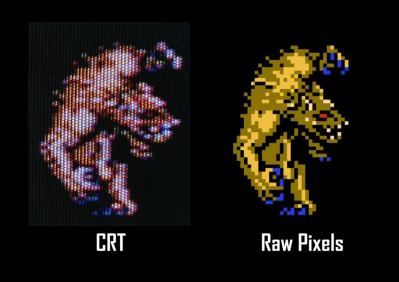
A large video section discusses the reasons for the early TV standards. US displays (and many others using NTSC) were designed for 525 scan lines, of which 480 were generally visible. These displays were interlaced, drawing alternating fields of odd and even line numbers, and early TV programs and NTSC DVDs were formatted in this fashion. Early gaming consoles such as the NES and SNES, however, were intended for 240p (‘p’ for progressive) content, which means they do not interlace and send out a blank line every other scan line.  [Stephen] goes into extensive detail about how 240p content was never intended to be viewed on a modern, sharp display but was intended to be filtered by the analogue nature of the CRT, or at least its less-than-ideal connectivity. Specific titles even used dithering to create the illusion of smooth gradients, which honestly look terrible on a pixel-sharp digital display. We know the differences in signal bandwidth and distortion of the various analog connection standards affect the visuals. Though RGB and component video may be the top two standards for quality, games were likely intended to be viewed via the cheaper and more common composite cable route.

Continue reading “Are CRT TVs Important For Retro Gaming?”

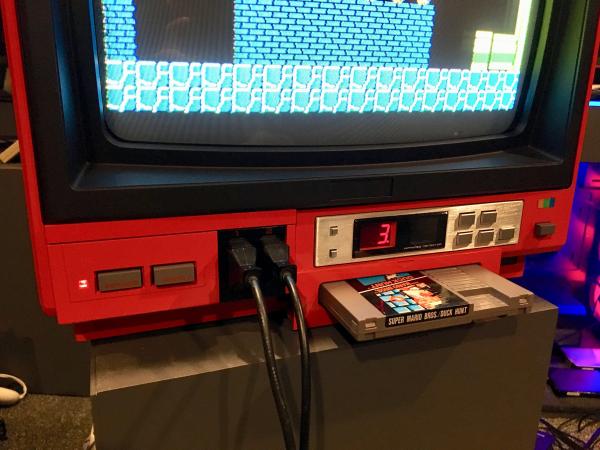
Famicom-Inspired NES TV Looks Rad In Red

Take it from us, insomnia is no joke. But the wee hours can have a great effect on creativity, and if you’ve got a project in mind, doing that is way better than just sitting around, zoning out to infomercials and wishing for sleep. Over recent nights, [insomniacfactory] has been working on a Sharp C1 Famicon-inspired NES TV, and the result is simply fabulous.

The Sharp C1 Famicom was CRT television with a Famicom (precursor to the NES) built in. It allegedly had better picture quality than either a Famicom or NES with a separate television, and this was because it had direct internal display connection. The picture quality was so good that video game magazines at the time used it for screenshots.

Starting with a couple of TVs and a plan, [insomniacfactory] got to work, using the guts from a newer donor TV and a 1985 NES main board with the region-free mod and the RF module removed.

[insomniacfactory] also added also added a wiring harness and a side loader connector from a broken Game Genie to the NES main board. After some careful Dremeling out of the 1981 AKAI TV, they had room for the clone console’s cartridge slot and controller plugs.

This project took a lot of careful and fiddly work, especially since the boards are all bracketed in place and easy to remove. But it totally looks like it was worth it, and now [insomniacfactory] can retro game all night for a while before starting the next insomnia-driven project.

Are you in the mood for more iconic NES? Take a guided tour.