
Описание
THE #1 NO CODE DRAG & DROP WORDPRESS WEBSITE BUILDER POWERING 22M+ WEBSITES WORLDWIDE, NOW WITH AI.
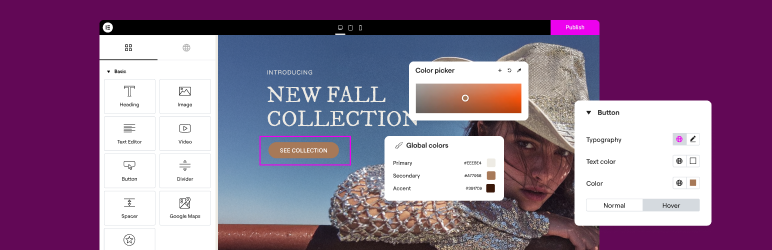
Elementor, the leading WordPress website creation platform, empowers you to build professional, pixel-perfect websites seamlessly with its no-code, drag-and-drop Atomic Editor.
Supporting the full website lifecycle, Elementor enables you to confidently build, optimize, and manage your website with extended capabilities such as AI-powered creation, image optimization, transactional email delivery, accessibility tools, performance boosters, and more.
Now in version 4 – the Atomic Editor! Introducing a new generation of performance-first atomic building blocks that allow you to control every atomic part with no limits or locked layouts. Define your global design systems and reusable components once, and they apply everywhere instantly – turning hours or even days of work into single clicks.
Unlock all features with Elementor One.
Need fast and secure cloud hosting for your Elementor site? Try out Elementor Host Powered by Google Cloud & Cloudflare. 4.9/5 TrustPilot score.
🌟 Create professional stunning websites
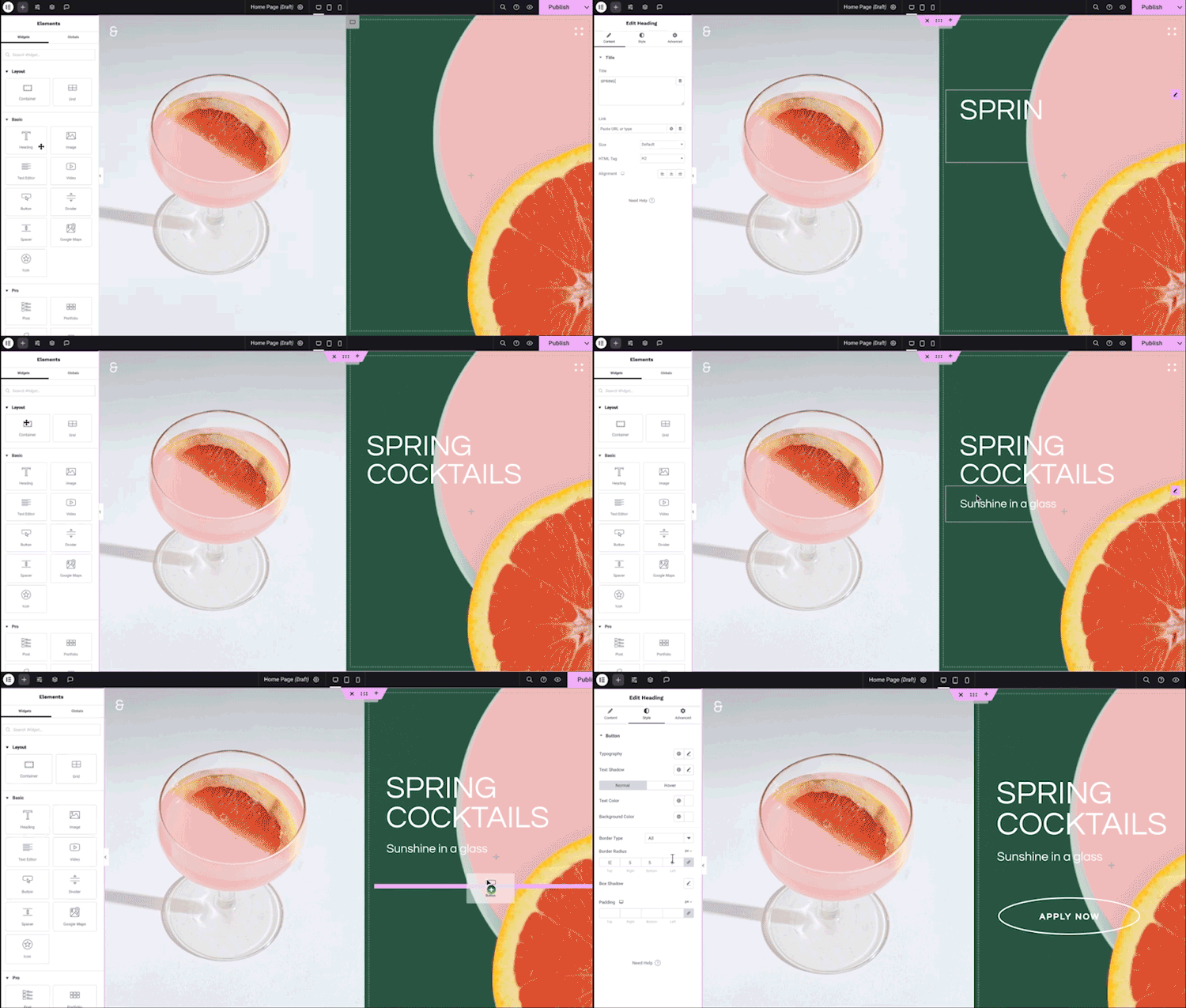
- Intuitive drag & drop builder: Build any website with our no-code, drag-and-drop Editor. Achieve design precision with full control over layout and style.
- Pixel-perfect design tools: Upload SVGs, apply masks, gradients, box shadows, headline effects, shape dividers, and use built-in CSS controls for advanced customization.
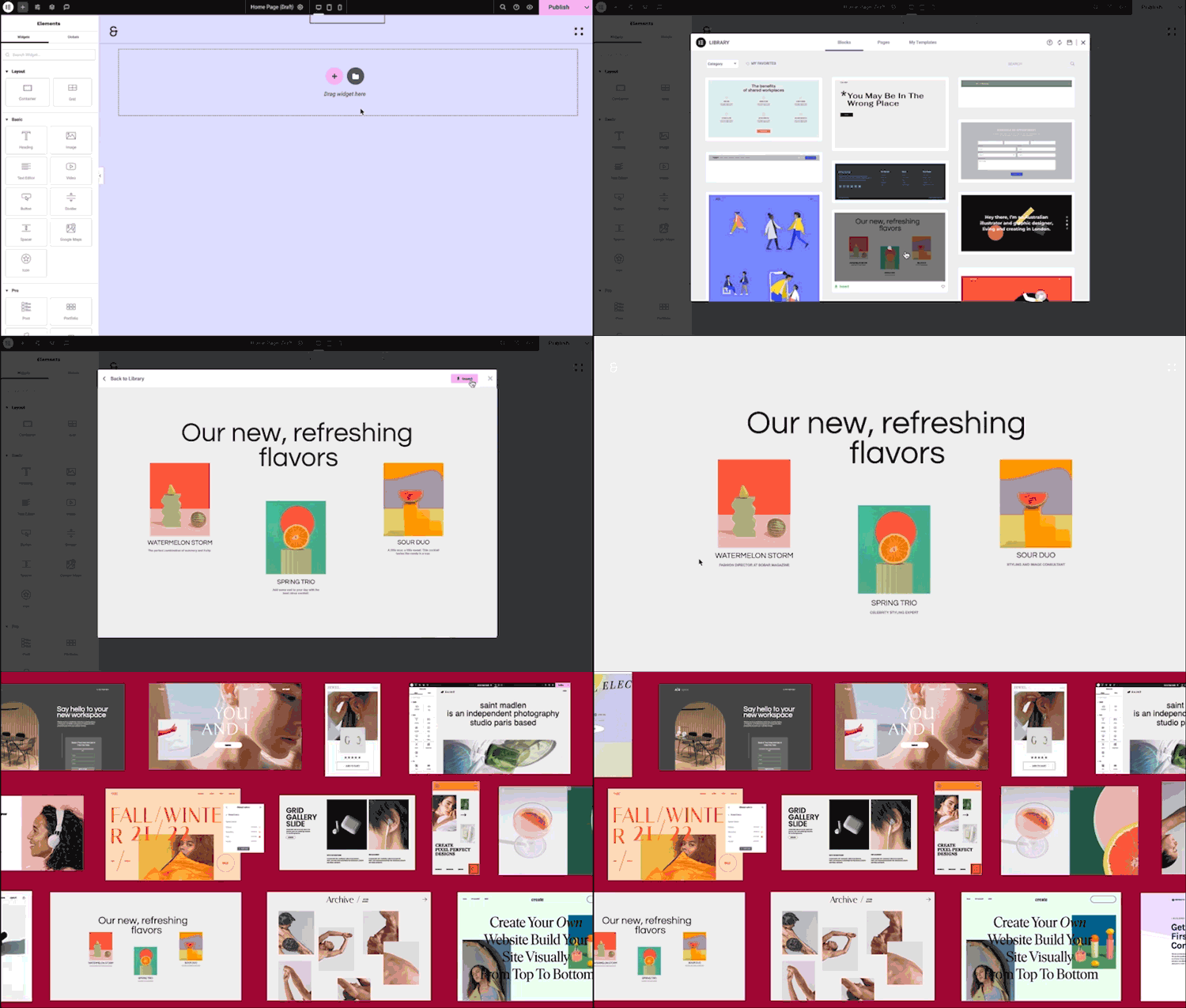
- Библиотека шаблонов: Применяйте готовые комплекты для мгновенной настройки сайта или выбирайте из обширной библиотеки шаблонов отдельных страниц, блоков и всплывающих окон.
- Advanced widgets: Access over 40 FREE widgets, including heading, image, text editor, video, button, gallery, carousels, and more.
- AI capabilities: Revolutionize your design and content creation process with native AI integration. Instantly create sections, text, code, and images.
🗝️ Key features
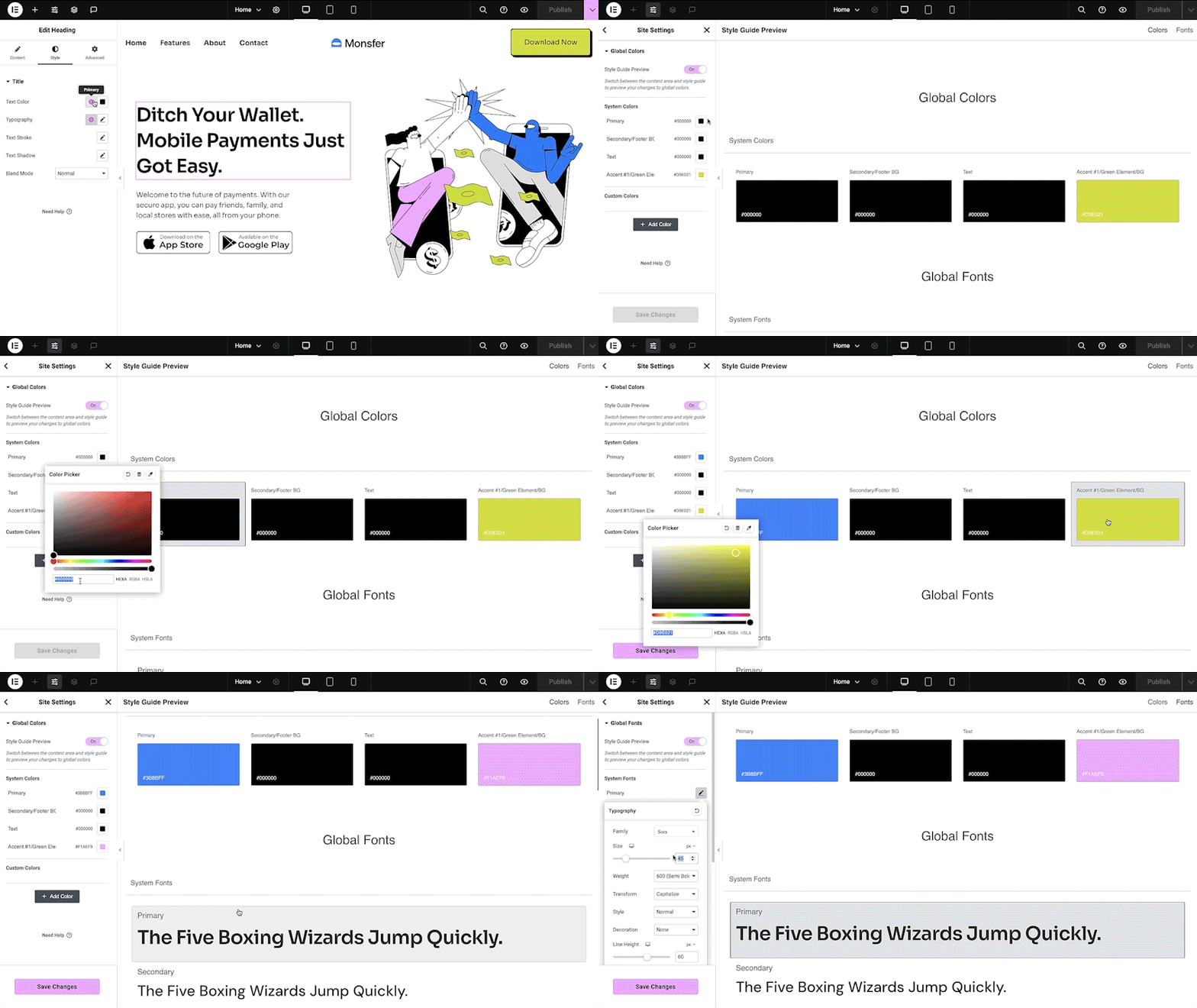
- Design system: Use Variables and Classes for consistent colors, typography, and design elements, ensuring a cohesive, professional look that updates everywhere globally.
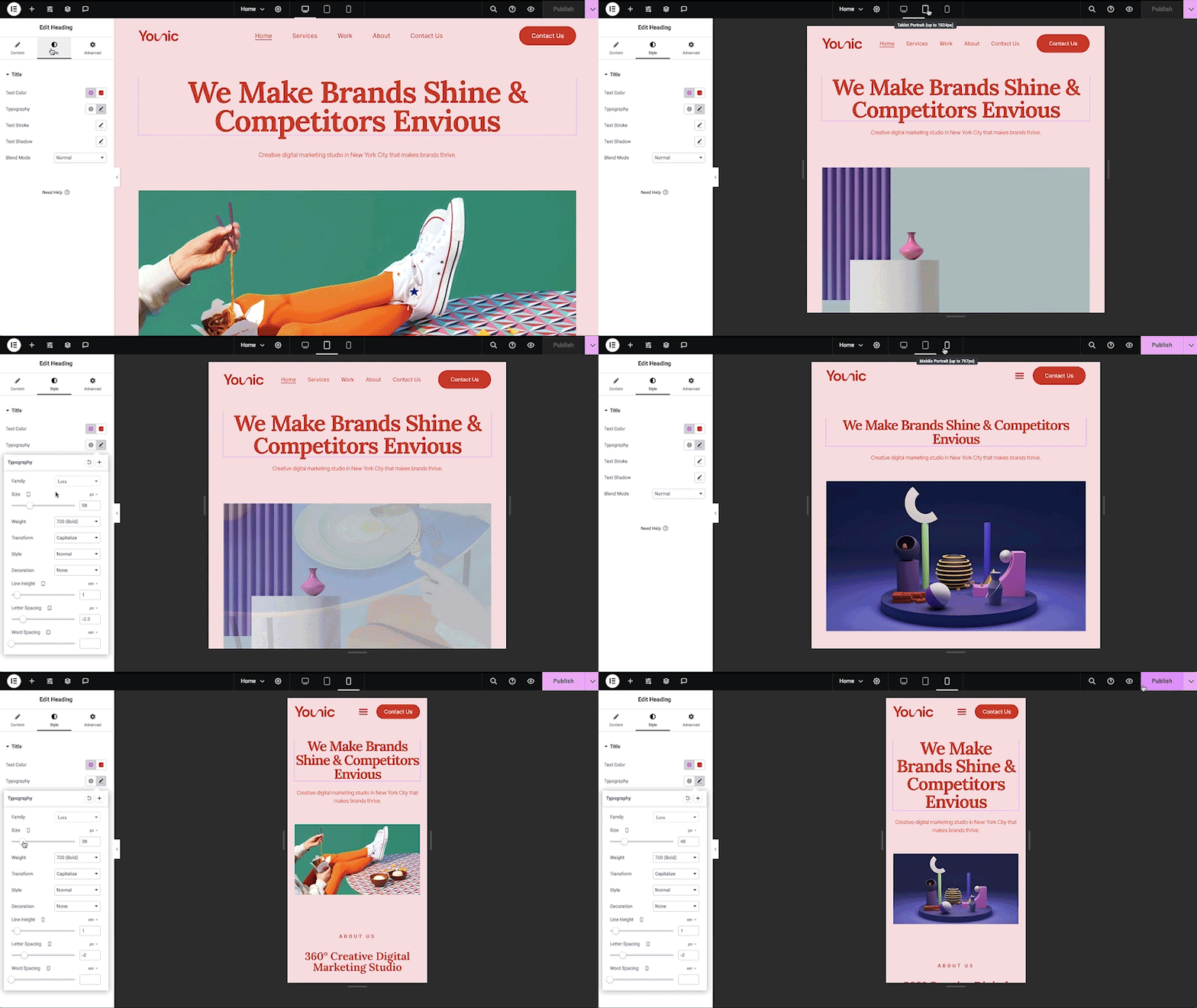
- Responsive design: Optimize your design for every device with custom breakpoints, ensuring a seamless desktop, tablet, and mobile experience.
- Mask shapes: Turning any element, like an image or video, into whatever shape you desire to create standout designs.
- CSS transform: Use CSS Transform to rotate, scale, and skew elements, adding dynamic styling to your site.
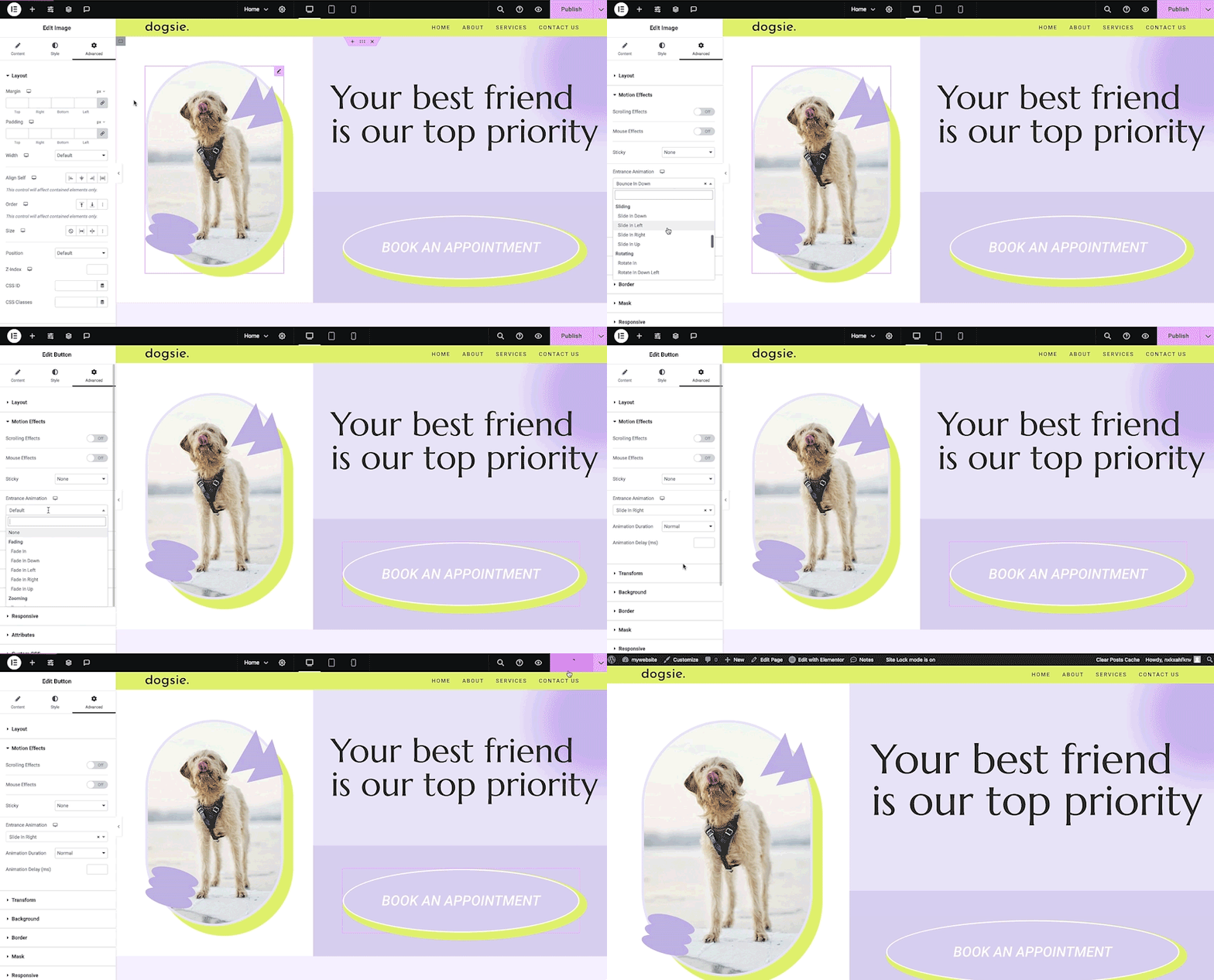
- Entrance animations: Add entrance animations to elements to create engaging and interactive user experiences.
- Revision history: Elementor’s Revision History feature enables users to track and revert to previous versions of their designs, providing peace of mind and flexibility during the creative process.
- Developer-friendly: Equipped with extensive documentation, API, developer tools, and custom code areas, Elementor offers a conducive environment for developers to extend its capabilities and create custom solutions.
- Floating buttons: Enhance user interaction with customizable, floating action buttons that stay in view as users scroll.
- Components [Pro]: Reuse the same building blocks across pages and sites, and update them everywhere they appear. Including controlled content editing, allowing collaborators and clients to update only exposed content properties without breaking layout or styling.
- Конструктор тем [Pro]: Создайте дизайн каждой части вашего сайта — верхних и нижних колонтитулов, постов и архивов — для полного контроля над внешним видом.
- Popup Builder [Pro]: Create eye-catching popups with Elementor’s Popup Builder, equipped with advanced targeting and triggering options to optimize user engagement and conversions.
- Формы [Pro]: Создавайте и интегрируйте пользовательские формы, используя расширенные функции и интеграции для эффективного сбора и управления отправлениями.
- WooCommerce Builder [Pro]: Integrate Elementor with WooCommerce to design custom product pages, shop layouts, archives, carts, checkout pages, my account, and more, enhancing your store’s visual appeal and functionality.
- Динамический контент [Pro]: Используйте возможности динамического контента для создания персонализированного и интерактивного веб-опыта, подключая свои проекты к различным источникам данных.
- Notes [Pro]: Enhance team collaboration by using Elementor’s Notes feature to leave feedback and comments directly on the design interface.
- Пользовательский код [Pro]: Вставляйте пользовательский код для расширения функциональности сайта, обеспечивая гибкость для расширенных настроек.
- Пользовательский CSS [Pro]: Применяйте пользовательский CSS для тонкой настройки стиля элементов, обеспечивая точный контроль над аспектами дизайна.
- Motion effects [Pro]: Add advanced motion effects to elements for a more dynamic and engaging user experience.
- Custom fonts and icons [Pro]: Upload and use custom fonts and icons to match your brand’s identity.
😍 БЕСПЛАТНЫЕ виджеты Elementor
Раскройте потенциал Elementor с помощью нашего обширного набора бесплатных виджетов и инструментов, призванных расширить возможности вашего процесса создания сайтов и повысить уровень вашего дизайна:
- Heading: Add eye-catching headlines.
- Image: Control the size, opacity and more.
- Text Editor: Just like the WordPress text editor.
- Video: Add YouTube, Vimeo, VideoPress, Dailymotion or self-hosted videos.
- Button: Create interactive buttons.
- Link in Bio: Build link in bio components to promote your business / services.
- Image Box: A box with image, headline and text.
- Testimonials: Customer testimonials.
- Icon: Place one or more of 600+ icons available.
- Icon Box: An icon, headline, and text with one widget.
- Social Icons: Link to your social pages with the Facebook/X (formerly Twitter) icons.
- Image Gallery: Display your images in a grid.
- Image Carousel: Create rotating carousels or sliders for chosen images.
- Icon List: Use any icon to create a bullet list.
- Counter: Show numbers in an escalating manner.
- Progress Bar: Include an escalating progress bar.
- Nested Tabs: Display content in vertical or horizontal tabs.
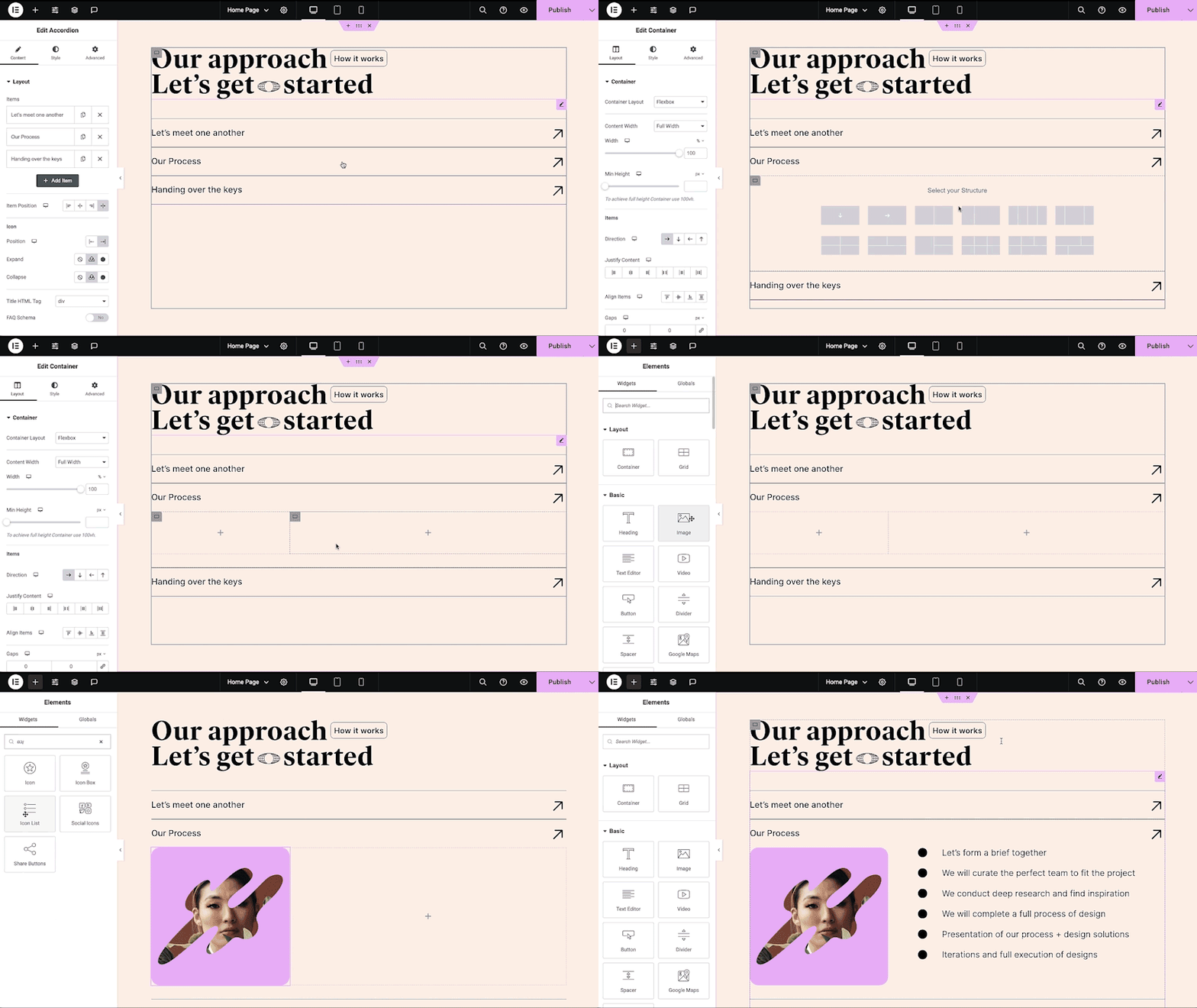
- Nested Accordion: Display any type of content in collapsible sections.
- Rating: Display how many stars (or another icon) other visitors gave.
- Alert: Include a colored alert box to draw visitor’s attention.
- HTML: Insert code into the page.
- Shortcode: Insert shortcodes from any plugin into the page.
- Menu Anchor: Link any menu to this anchor.
- Read More: Set the Read More cut-off for the excerpt in archive pages.
- Sidebar: Add sidebars onto the page.
- Google Maps: Embed maps into the page.
- SoundCloud: Add SoundCloud audio bits.
- Divider: Separate content with a designed divider.
- Spacer: Add space between elements.
- Text Path: Attach your text to a path.
- And counting…
🚀 Enhance your website
High-performing websites: Website performance impacts your visitors’ experience and search result ranking. Elementor, in partnership with Google Chrome, continuously enhances performance without compromising design.
Ключевые особенности включают:
- Reduced DOM output: Streamlined HTML structure for faster rendering.
- Improved media file loading: Optimized loading of images, videos, and other media assets.
- Reduced CSS and JS files: Minimized stylesheets and scripts individually loaded only on demand for quicker loading times.
- Lazy loading: Deferred loading of non-critical resources to improve initial page load speed.
- Faster font loading: Efficient delivery of web fonts to enhance text rendering speed.
- Optimized front-end asset loading: Efficient loading of assets like JavaScript and CSS to minimize render-blocking.
- Element caching: Cache frequently accessed design elements to reduce server response time and enhance overall performance.
🔥 Elementor Editor Pro features
Create unparalleled websites while saving time, money and resources with Elementor Editor Pro’s full website builder. Get access to 100+ professional widgets, features, and tools.
Editor Pro design widgets:
- Посты: Отображение записей в блоге с помощью настраиваемых макетов и стилей.
- Кнопки «Поделиться»: Позволяют посетителям легко делиться вашим контентом в различных социальных сетях.
- Портфолио: покажите свои работы или проекты с помощью потрясающих макетов портфолио.
- Слайды: Создавайте динамичные слайд-шоу с пользовательскими анимациями и переходами.
- Форма: Разработка и настройка расширенных форм для взаимодействия с пользователями и сбора данных.
- Логин: Добавьте на свой сайт форму входа или модуль регистрации пользователей.
- Nav Menu: Customize and style your website’s navigation menu for better user experience.
- Анимированный заголовок: Создавайте привлекающие внимание заголовки с анимированными эффектами.
- Таблица цен: Отображение ценовых планов или пакетов в структурированном и визуально привлекательном формате.
- Прайс-лист: Представьте список цен или услуг с настраиваемыми параметрами оформления.
- Галерея: Создавайте красивые галереи изображений с различными вариантами компоновки и поддержкой лайтбоксов.
- Flip Box: Добавьте интерактивную анимацию для выделения содержимого или функций.
- Призыв к действию: Поощряйте взаимодействие пользователей и конверсию с помощью убедительных разделов с призывом к действию.
- Карусель медиафайлов: Покажите карусель медиафайлов, таких как изображения или видео.
- Карусель отзывов: Отображайте отзывы клиентов в формате карусели для социального доказательства.
- Вложенные карусели: Создавайте вложенные карусели для более сложной организации контента.
- Зацикленная карусель: Отображение содержимого в виде зацикленной карусели для непрерывного просмотра.
- Table of Contents: Generate a table of contents for longer articles or guides to improve navigation.
- Обратный отсчет: Добавьте таймеры обратного отсчета, чтобы создать срочность для рекламных акций или мероприятий.
- Страница Facebook: Вставьте ленту или контент своей страницы Facebook на свой сайт.
- Blockquote: Выделите цитаты или свидетельства с помощью стильных вариантов форматирования.
- Шаблон: Сохраняйте и повторно используйте шаблоны дизайна для последовательного брендинга и верстки.
- Отзывы: Показывайте отзывы и оценки клиентов, чтобы укрепить доверие и авторитет.
- Кнопка Facebook: Добавьте кнопки, чтобы стимулировать взаимодействие с вашей страницей Facebook или контентом.
- Facebook Embed: Встраивайте посты или контент Facebook на свой сайт.
- Facebook Comments: Enable Facebook comments on your website’s pages or posts.
- Кнопка PayPal: Интегрируйте кнопки PayPal для удобных онлайн-платежей.
- Кнопка Stripe: Интегрируйте кнопки оплаты Stripe для обеспечения безопасных онлайн-транзакций.
- Виджет Lottie: Добавьте анимацию Lottie, чтобы повысить визуальную привлекательность и вовлеченность.
- Выделение кода: Отображение фрагментов кода с подсветкой синтаксиса для лучшей читабельности.
- Видеоплейлист: Создавайте и настраивайте плейлисты для видеоконтента на вашем сайте.
- Мега меню: Настройте расширенное меню для лучшей навигации и отображения сложного контента.
- Вне холста: Создавайте области за пределами холста, которые выдвигаются для отображения дополнительной информации или меню, не загромождая основной макет.
Editor Pro theme widgets:
Build and customize all the key parts of your website including headers, footers, 404 page, global archives, and more…
- Заголовок сообщения: Настройте название отдельных постов или страниц блога.
- Выдержка из поста: Отобразите краткое содержание или тизер ваших записей в блоге.
- Содержание постов: Настройте основное содержание постов или страниц вашего блога.
- Featured Image: Устанавливайте и настраивайте главные изображения для постов и страниц блога.
- Блок автора: Отображение информации об авторах и биографий в записях блога.
- Размещение комментариев: Настройте внешний вид и функциональность разделов комментариев на вашем сайте.
- Навигация по постам: Добавьте навигационные ссылки на соседние посты для удобства просмотра.
- Информация о записях: Отображение дополнительной информации о записях блога, например, автора и даты.
- Site Logo: Upload and customize your website’s logo for branding purposes.
- Заголовок сайта: Настройте название вашего сайта.
- Заголовок страницы: Настройте название отдельных страниц.
- Search Bar: Add a search bar to allow users to search your website’s content.
- Цепочка навигации: Отображение иерархических путей для лучшей навигации пользователей.
- Карта сайта: Создайте карту сайта для лучшей индексации поисковыми системами и навигации пользователей.
- Сетка цикла: Создавайте и настраивайте макеты сетки для архивов записей блога или списков товаров.
Editor Pro WooCommerce widgets:
Разработайте и настройте полный набор возможностей для совершения покупок на всем вашем сайте.
- Товар: Отображение отдельных товаров с помощью настраиваемых макетов и стилей.
- Цепочка навигации: Отображение иерархических путей навигации для более удобного перемещения пользователей по магазину.
- Заголовок товара: Настройте название отдельных товаров.
- Изображения товаров: Устанавливайте и настраивайте изображения для списков товаров.
- Цена товара: Отображение цены отдельных товаров.
- Добавить в корзину: добавьте настраиваемые кнопки добавления в корзину для удобства покупки.
- Рейтинг товаров: Отображение оценок и отзывов о товарах.
- Запасы товаров: Отображение наличия товаров на складе.
- Мета товара: Отображение дополнительной информации о товарах, например SKU и категорий.
- Содержание товара: Настройте основную область содержания описаний товаров.
- Краткое описание: Отображение кратких аннотаций или тизеров товаров.
- Вкладки данных о товаре: Организуйте информацию о товаре в разделах с вкладками для лучшей организации.
- Дополнительная информация: Отображение дополнительных сведений о товарах, таких как размеры и вес.
- Связанные товары: Покажите сопутствующие товары, чтобы стимулировать дополнительные покупки.
- Продажи: Продвигайте товары с дополнительными предложениями, чтобы увеличить среднюю стоимость заказа.
- Продукты: Отображение сетки или списка товаров с настраиваемыми параметрами.
- Пользовательская кнопка добавления в корзину: настройка кнопки добавления в корзину для конкретных товаров.
- Страницы WooCommerce: Создавайте и настраивайте страницы, специфичные для WooCommerce, такие как корзина и страницы оформления заказа.
- Категории товаров: Отображайте категории товаров для удобной навигации по магазину.
- Меню корзины: отобразите иконку корзины в навигационном меню для легкого доступа к корзине.
- Корзина: настройка внешнего вида и функциональности страницы корзины.
- Оформление заказа: Настройте внешний вид и функциональность страницы оформления заказа.
- Моя учетная запись: Настройте внешний вид и функциональность области учетной записи клиента.
- Сводка покупок: отображение сводки покупок в процессе оформления заказа.
- Уведомления WooCommerce: Настройте внешний вид и функциональность уведомлений WooCommerce, таких как сообщения о подтверждении заказа.
Build professional websites with Elementor Editor Pro!
🔒 Security and compliance
Elementor places a paramount focus on security, evident through our acquisition of industry certifications such as ISO/IEC 27001, ISO/IEC 27017, ISO/IEC 27018, ISO/IEC 27701, and SOC 2 Type II. These certifications underscore our commitment to implementing robust security measures and highlight our dedication to adhering to recognized industry standards.
Мы поощряем этические исследования в области безопасности с помощью нашей программы Bug Bounty. Мы сотрудничаем с ведущими службами «баг баунти», чтобы предоставить исследователям возможность сообщать об уязвимостях в наших сервисах. Наши программы «баунти» включают в себя группу сортировки, доступную 24/7/365.
Дополнительная информация: Центр доверия.
♿ Accessibility best practices
Elementor предлагает инструменты и улучшения доступности, чтобы помочь вам обеспечить лучший опыт для всех пользователей. В том числе семантический HTML 5, навигационное меню с полной клавиатурой, постоянное улучшение функций, виджеты и многое другое.
🌐 Переведено на 63+ языков, есть поддержка RTL
Elementor поддерживает множество языков, типографику и RTL, а редактор переводит более 63 языков.
It’s also compatible with WPML, Polylang, TranslatePress, Weglot, and more. To contribute, add a new language via translate.wordpress.org. See our guide on how to translate and localize the plugin.
🧩 Use of 3rd-party services
Для улучшения пользовательского опыта Elementor может использовать следующие сторонние сервисы, если необходимая функция включена:
- Google Fonts are loaded to add additional fonts to your website. Google’s TOS and Privacy Policy apply.
- Some Elementor features require loading assets from Elementor.com. These assets are not used for tracking unless explicitly stated, and require your approval and manual opt-in. Learn more in our TOS and Privacy Policy.
📧 Related products by Elementor
Image Optimization: Superior image compression for faster, high-quality website performance.
Email Deliverability: Reliable email management without SMTP plugins, keeping your communications streamlined and efficient.
Web Accessibility: Enhances website usability for individuals with disabilities. Ally is designed to help web creators make their websites more inclusive. It scans, detects, and remediates key accessibility violations, working seamlessly on all WordPress and Elementor websites.
📣 See what our users have to say
«Elementor — это лучший конструктор страниц из всех существующих» — ★★★★★ Graphicvision1
«Невероятно удобный плагин» — ★★★★★ Hyeyoga
“Easily, my most used WP plugin” – …
Скриншоты
Установка
Минимальные требования
- WordPress 6.8 or greater
- Версия PHP 7.4 или выше
- MySQL version 5.6 or MariaDB version 10.5 or greater
- PHP Memory limit of 256 MB or greater
- WordPress Memory limit of 256 MB or greater
Рекомендуемые требования
- WordPress 7.0 or greater
- PHP version 8.3 or greater
- MySQL version 8.0 or MariaDB version 10.6 or greater
- PHP Memory limit of 512 MB (768 MB for best performance) or greater
- WordPress Memory limit of 512 MB (768 MB for best performance) or greater
Note: These requirements are for Elementor and Elementor Pro only. If you are using additional plugins on your site that also have minimum requirements such as WooCommerce or Elementor addons, you may need to increase your PHP and WordPress Memory limit to help avoid loading issues. See also, the following documentation Elementor Widget Panel Not Loading.
Установка
- Установите с помощью встроенного установщика плагинов WordPress или извлеките zip-файл и опустите содержимое в каталог
wp-content/plugins/своей установки WordPress. - Активировать плагин через меню ‘Plugins’ в WordPress.
- Перейти к Страницам& GT; Добавить новое
- Нажмите кнопку «Редактировать с помощью Elementor».
- Теперь вы можете с легкостью перетаскивать виджеты из левой панели в область содержимого страницы, а так же добавлять новые секции и столбцы для создания структуры страницы.
Для получения документации и руководств посетите нашу базу знаний.
Часто задаваемые вопросы
-
How do I install Elementor Editor?
-
To install the free version of Elementor Editor, follow the steps below:
From your WordPress dashboard -> Go to Plugins -> Click on ‘Add new’-> In the Search field, enter Elementor and choose Elementor website builder.
Press install -> After installation, click Activate. -
Does Elementor Editor work with all the themes?
-
Elementor Editor works all the themes that respect the coding standards of WordPress set by its Codex. It is recommended to use Elementor’s Hello Theme, a lightweight blank canvas, to enjoy full flexibility when using Elementor Editor, and optimize your experience.
-
Is Elementor Editor compatible with Gutenberg?
-
Elementor Editor and Gutenberg work seamlessly together. As a user, you can easily decide which editor to use at every point while editing your site.
-
Можно ли создать интернет-магазин?
-
Yes, with the Elementor Editor Pro WooCommerce Builder you can customize every page of your store to create an amazing customer experience that drives sales.
-
Работает ли он с другими плагинами WordPress?
-
It works with almost all the plugins. If you experience an incompatibility issue, please report it to us and to the plugin that conflicts with Elementor Editor.
-
Нужно ли уметь писать код?
-
No! Elementor Editor provides you with all the widgets and features that you need to build a professional website without using code.
-
Нужно ли мне разбираться в дизайне?
-
No, you can choose between professionally designed kits and templates that fit to every industry and have all you need to create your own professional website.
-
Will Elementor Editor slow down my website?
-
As Elementor prioritizes speed and performance, you enjoy better and faster performance with each new version of the Editor. When testing the same page layout on older versions you can see a significant performance improvement, from a score of 82 in Google PageSpeed Insight in version 3.1, to a score of 95 i in version 3.5.
-
Is my site secure with Elementor Editor?
-
Безопасность вашего веб-сайта чрезвычайно важна для нас, и мы принимаем упреждающие меры для обеспечения безопасности ваших веб-сайтов. Компания Elementor сертифицирована по стандарту ISO 27001 и имеет специальную команду профессионалов по безопасности, которые 24/7 внедряют передовые отраслевые практики для обеспечения максимальной безопасности и соответствия нормативным требованиям.
Существует также программа обеспечения безопасности Bug Bounty, использующая возможности сообщества, предоставляя обнаружение уязвимостей с помощью краудсорсинга 24/7/365.
-
Можно ли покупать шаблоны отдельно?
-
Of course, you can use any template that supports Elementor Editor.
-
Is Elementor Editor compatible with Post and Custom Post Types?
-
Конечно! Вы можете установить, какие типы записей будет включать Elementor на странице настройки.
-
What is the difference between Elementor’s free Editor plugin and Elementor Editor Pro?
-
Elementor Editor’s Free version allows you to explore our revolutionary drag & drop live editor, basic widgets and templates. Elementor Editor Pro (Essential, Advanced, Expert, Studio, and Agency) empowers you with more professional tools that speed up your workflow, give you access to human-powered support, help you build more advanced content, and convert visitors. See full comparison here.
-
How can I become a Contributor?
-
If you want to contribute, go to our Elementor GitHub Repository and see where you can help. You can also add a new language via translate.wordpress.org. We’ve built a short guide explaining how to translate and localize the plugin.
Отзывы


Участники и разработчики
«Elementor Website Builder- больше, чем просто конструктор страниц» — проект с открытым исходным кодом. В развитие плагина внесли свой вклад следующие участники:
Участники
«Elementor Website Builder- больше, чем просто конструктор страниц» переведён на 64 языка. Благодарим переводчиков за их работу.
Перевести «Elementor Website Builder- больше, чем просто конструктор страниц» на ваш язык.
Заинтересованы в разработке?
Посмотрите код, проверьте SVN репозиторий, или подпишитесь на журнал разработки по RSS.
Журнал изменений
4.1.4 — 2026-06-21
- Fix: Improved code security enforcement in query handling
4.1.3 — 2026-06-10
- Fix: Cloud Library screenshot errors could prevent users from saving templates locally
4.1.2 — 2026-06-08
- Tweak: Improved Global Classes usage tracking for safer deletion — Atomic Editor
- Fix: Image with Lightbox inherits default button styles — Atomic Editor
- Fix: Image settings are not saved when using Insert from URL — Atomic Editor
- Fix: Media attachments may be requested too many times in the Editor — Atomic Editor
- Fix: Pages using Global Classes may fail to publish or show missing styles on the live site — Atomic Editor
- Fix: Editor context may not sync correctly when navigating between documents
4.1.1 — 2026-05-27
- Security Fix: Improved code security enforcement in content handling
- Security Fix: Improved code security enforcement in template handling
- Fix: Hiding one filter prevents other filters from being applied — Atomic Editor
4.1.0 — 2026-05-26
- New: Introducing the Design System panel for managing Variables and Classes in one place — Atomic Editor
- New: Introducing Angie in the Editor to help generate and modify Atomic layouts, Components, Forms, Classes, and Variables — Atomic Editor
- New: Introducing Markdown rendering as an Alpha experiment to improve how content is structured for AI systems
- Tweak: Added import and export for Variables and Classes from the Design System panel — Atomic Editor
- Tweak: Increased the Class limit to 1000 — Atomic Editor
- Tweak: Added duplicate support for Variables in the Variables Manager — Atomic Editor
- Tweak: Added duplicate support for Classes in the Class field — Atomic Editor
- Tweak: Added support for Variables in additional style controls, including Effects, Filters, and Box Shadow — Atomic Editor
- Tweak: Added multi-select support to Direction control in Interactions — Atomic Editor
- Tweak: Added Interaction actions to the History panel — Atomic Editor
- Tweak: Added support for negative Box Shadow values — Atomic Editor
- Tweak: Improved reordering of Component properties with full drag-and-drop support — Atomic Editor
- Tweak: Updated Position and Z-index control visibility and behavior — Atomic Editor
- Tweak: Updated the minimum required WordPress version to 6.8
- Tweak: Added the External URL option to Image control — Atomic Editor
- Fix: Slide Interactions can be applied without selecting a direction — Atomic Editor
- Fix: Undo does not work as expected for individual Class properties — Atomic Editor
- Fix: Font family values persist on Global Classes after deletion — Atomic Editor